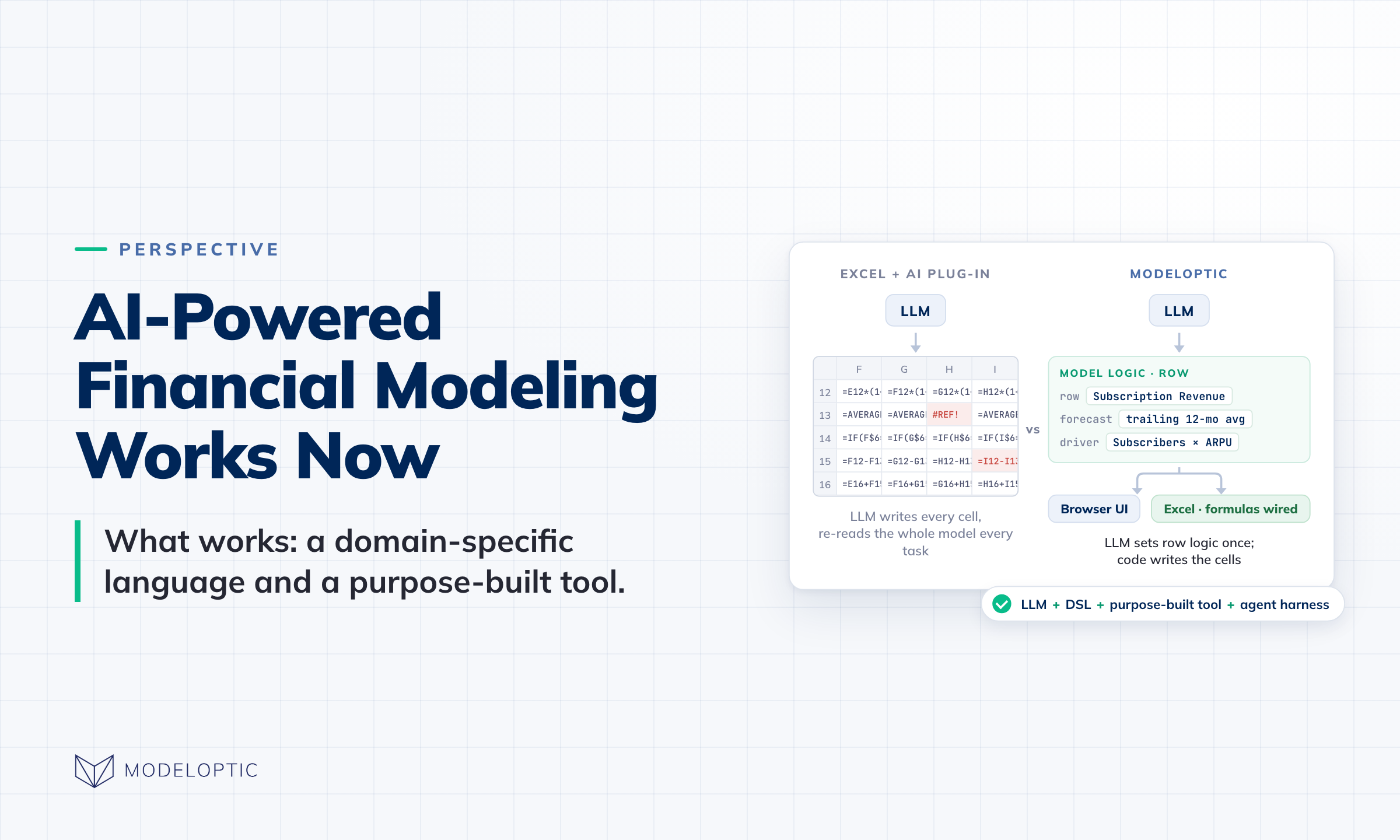
AI-powered financial modeling finally works now. The first wave of attempts to solve AI-powered financial modeling amounted to sprinkling AI on top of Excel in the form of plug-ins. Many of these plug-ins offer a great step forward in the experience of building models, but they come nowhere close to unlocking the full capability of the latest batch of LLMs.
Modeloptic instead offers a continuously improving purpose-built tool with an agent harness on top of the same LLMs that the leading Excel plug-ins use:
Below, we'll explain why in more detail.
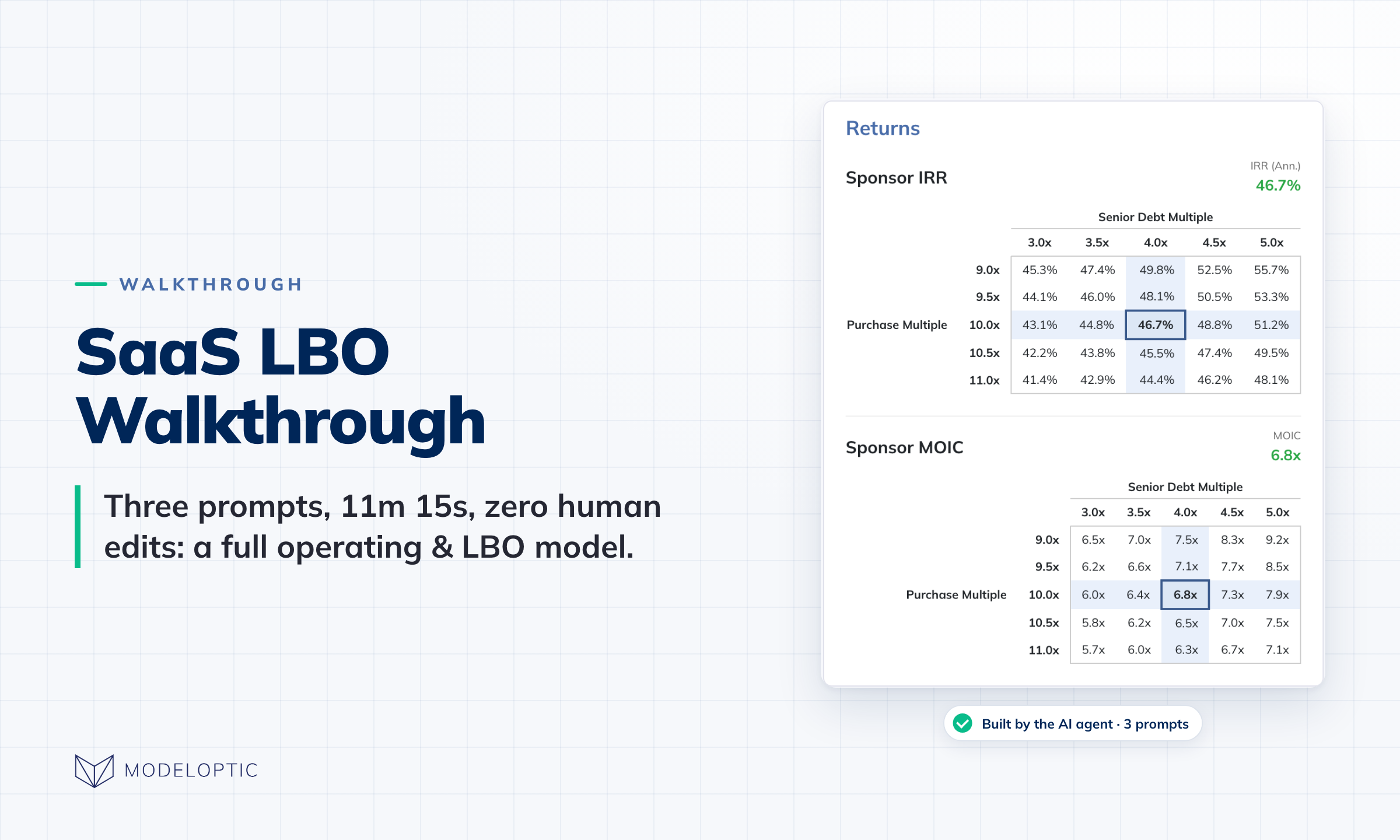
If you want to see Modeloptic in action, you can read our walkthrough of a full AI SaaS LBO build here.
1. Domain-Specific Language → Remove Wasted Complexity
Excel plug-ins force LLMs to manage all of the individual sheet-by-sheet and cell-by-cell complexity of an Excel file, and try to map the concept of a financial model on top of that.
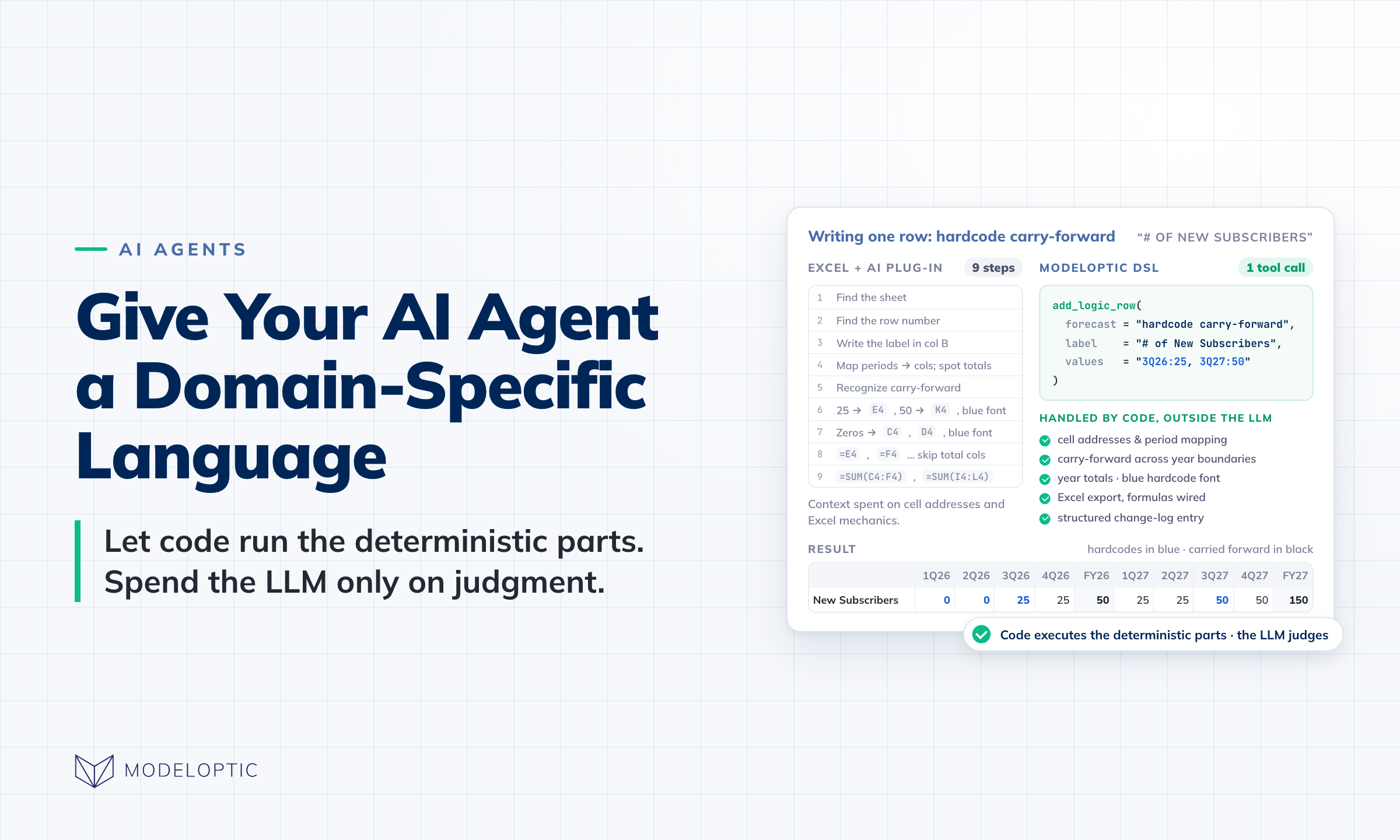
Modeloptic instead has its own language for defining financial models, which lets our AI agents operate at a much higher level (logic is defined at the table or row level instead of at the individual cell level, for example).
We wrote more about this topic in Give Your AI Agent a Domain-Specific Language.
This doesn't mean we're going to try to convince you to never open Excel again though. We're well aware that Excel remains the language of finance, and Modeloptic can generate a fully-functional version in Excel any time (formulas and all).
2. Auditability: Version Control, Change Logs, and Rollbacks
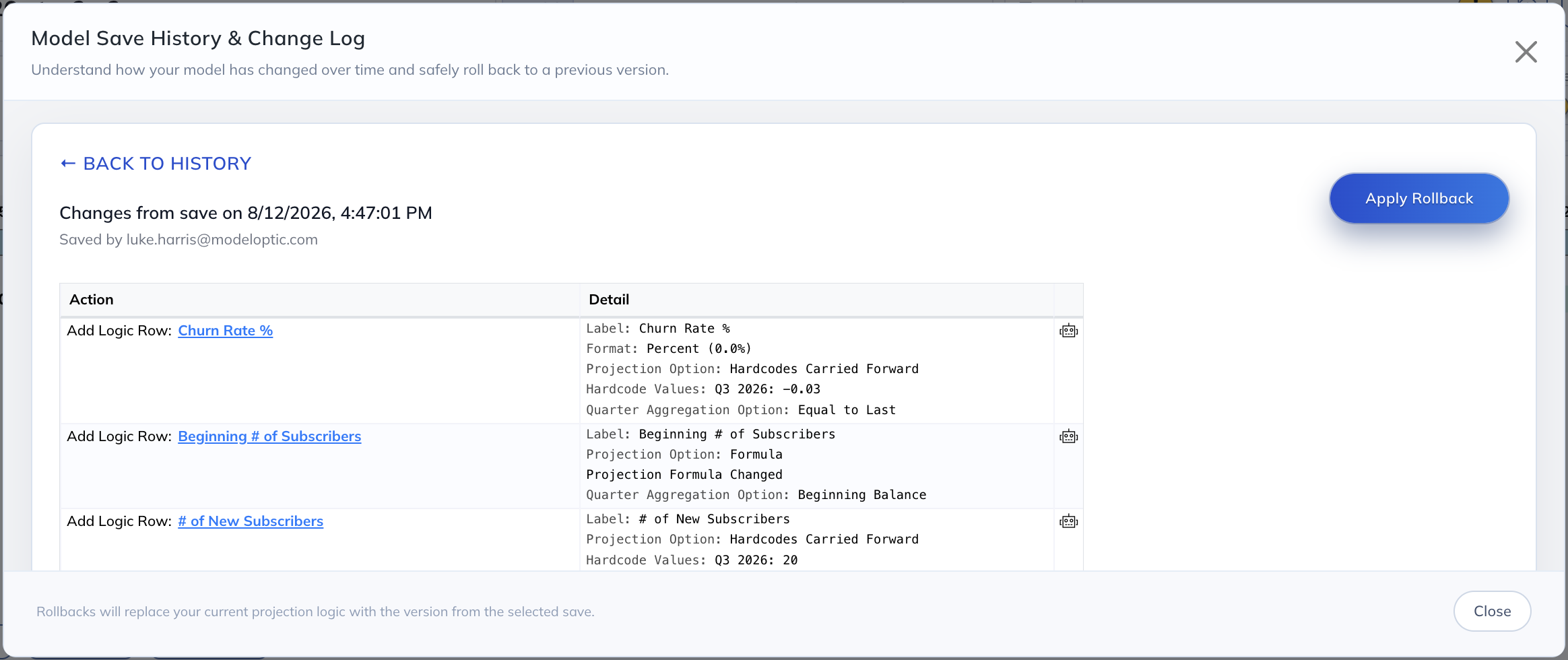
In Excel, there's no tooling to help you understand what changed from one version to another. Modeloptic shows you every individual change made to your model, who made it and when, and lets you step backward and forward in time at will.
3. Structure, Constraints, & Validation
Financial statements must integrate with each other in very specific ways. Excel is blind to this; Modeloptic enforces it. It's impossible to have a balance sheet that doesn't balance in Modeloptic, for example.
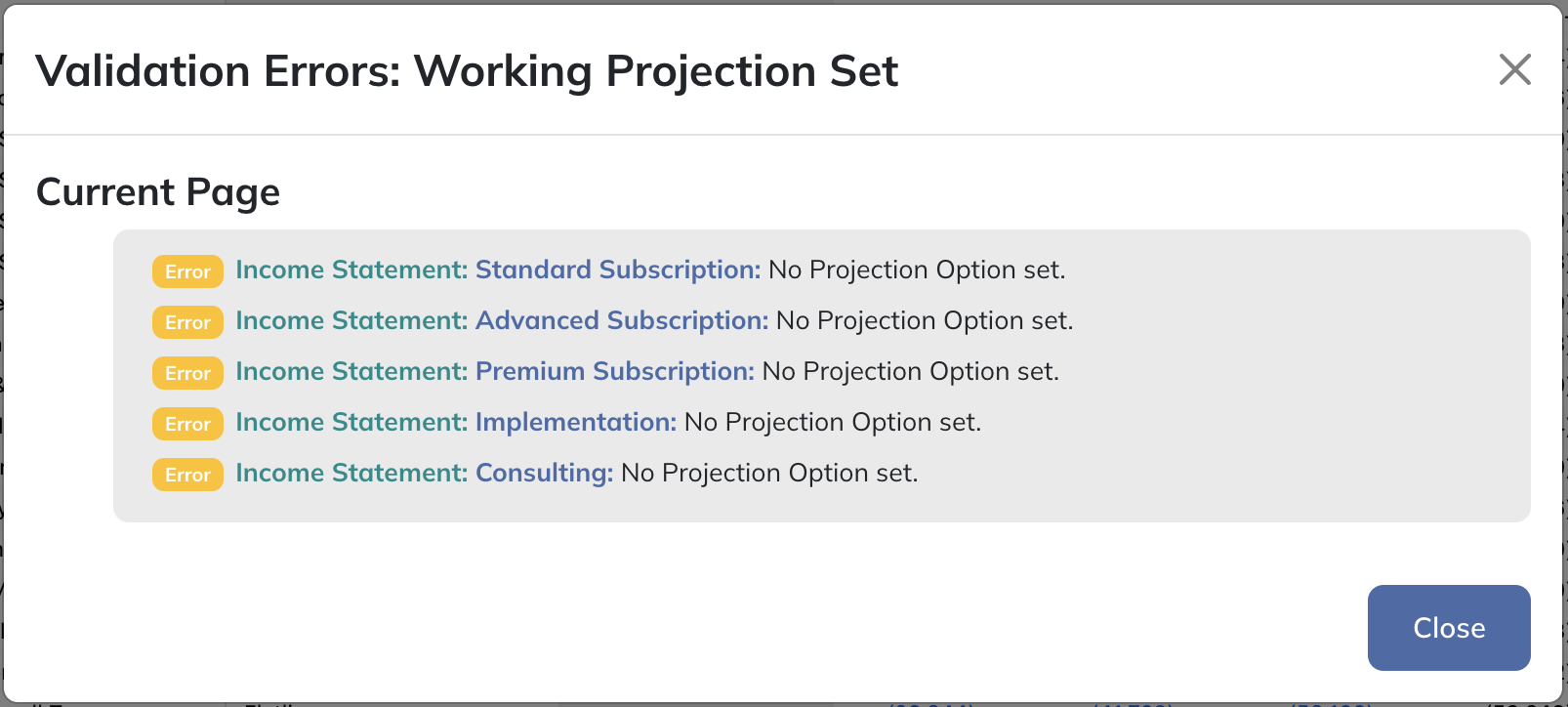
If a model has unset or incoherent settings, broken references, or other obvious problems, Modeloptic surfaces these issues to the user (whether human or machine).
4. Historical Data Management
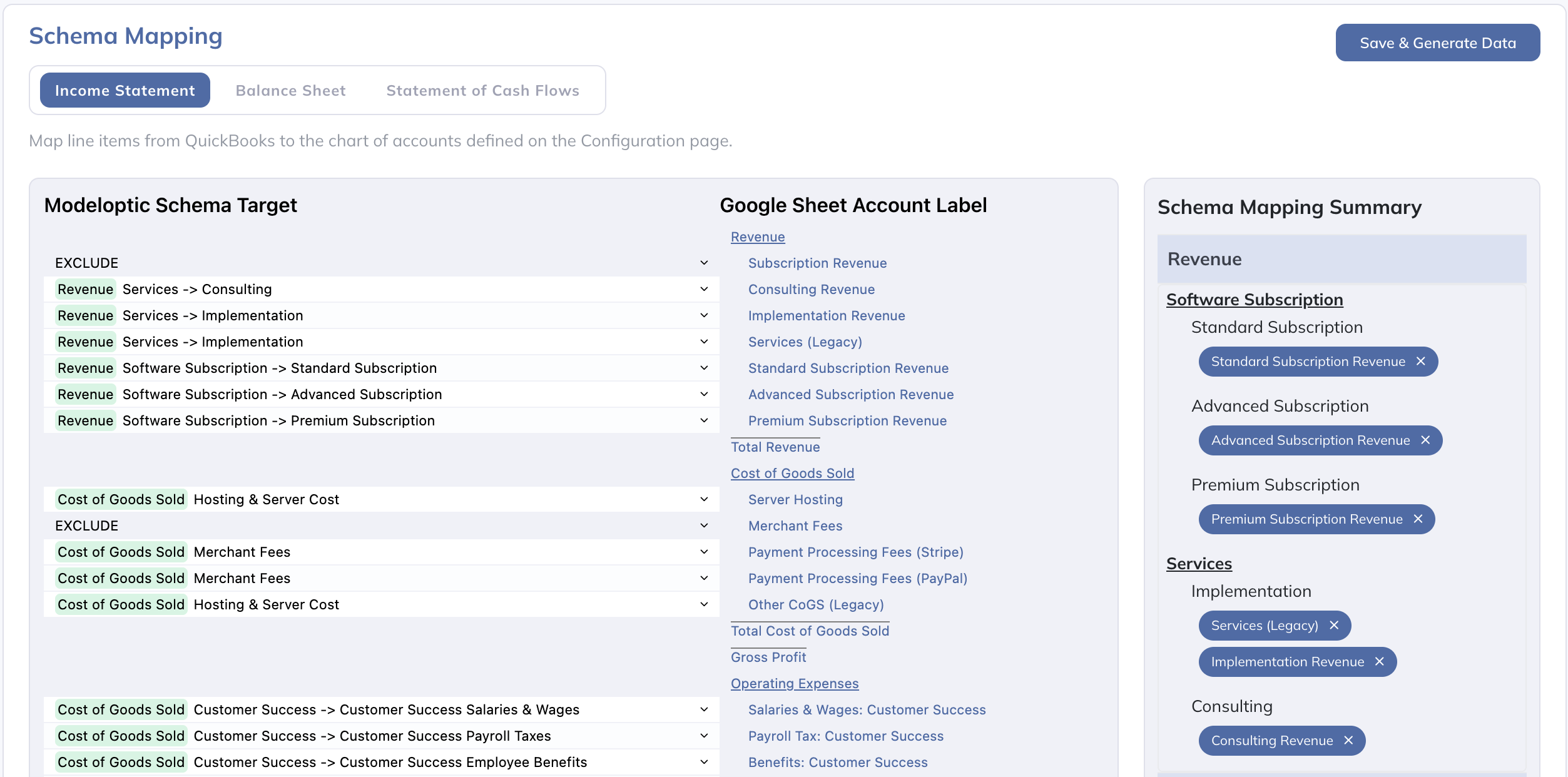
Every existing company has financial statements and operating metrics that need to be incorporated, and need to be updated as new data becomes available. If you are not extremely disciplined and rigorous about this, your model breaks. Modeloptic provides tooling for this, including accounting system integrations, that an LLM isn't going to be able to replicate for you on the fly every time.
5. User Access & Coordination
Excel files need to be passed around for others to review and work on them, and making sure everyone is looking at the same version is a constant chore. Modeloptic provides a single source of truth for every model your team is working on, and allows you to grant and revoke or restrict access to any instance as desired.

6. Built-In Variance & Reporting
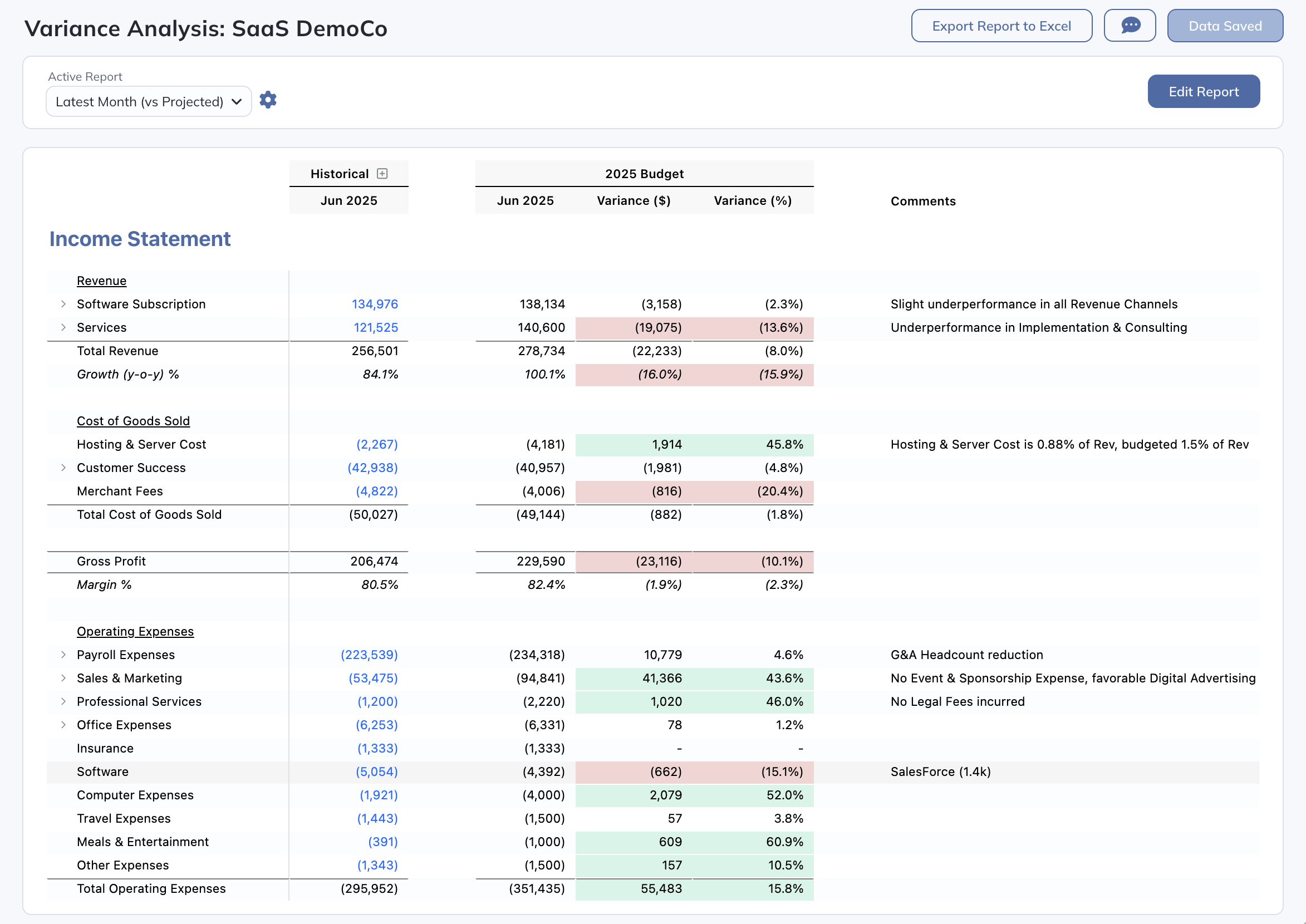
Modeloptic maintains a full history of all prior model versions and scenarios, so you can easily call any of them back up either for quick reference or for formal off the shelf variance analysis. This makes comparing scenarios easy, and is very useful for tracking actual vs expected performance over time both during a deal process and post-close.
7. Embedded Expertise & Best Practices
We provide our agents with an extensive library of financial modeling building blocks and industry-specific logic that can be instantly grabbed off the shelf and incorporated. Our agent doesn't have to figure out how to sweep excess cash to pay down debt or invent a deferred tax asset / liability mechanism on the fly from scratch when a request comes in; it can just look up the gold standard way to handle such a situation and implement it, which greatly improves accuracy and speed.
A Good Purpose-Built Tool Will Always Win
There's no question that the frontier LLMs will continue to get better, and as they do, Excel plug-ins will continue to become more useful in the domain of financial modeling.
But a purpose-built tool like Modeloptic will benefit from these improvements in raw LLM capability as well, will continue to have all of the above advantages, and is itself being continuously improved (with the aid of LLMs, of course).
So while we think it's great that hobbyists will keep getting better access to financial modeling capabilities by just asking a raw LLM for a model, we've seen that there are many ways to unlock much greater capabilities from AI in the financial modeling realm, and that professionals will opt for maximum capability.