We've released several updates that make your model easier to organize and monthly updates faster. The Modeloptic AI Agent is also out of beta, and we've launched a new product.
The TL;DR for existing users: 1) Free-Form Tables are now called Views, and 2) you no longer need to click the "Generate Data" button after updating historical values or mappings. That step now happens for you automatically.
Here's a more thorough rundown on what's new.
Logic Rows & Views
We've taken a step toward separating model logic from the visual presentation of that logic.
Free-Form Tables are now Views. A View holds Logic Rows, along with headers, labels, and spacers. Each Logic Row is one line of your model, with its own inputs, formula, and settings. Your existing Free-Form Tables have been converted to Views automatically. Other table types (Standard, One-to-One, and Analysis) remain the same.
What's new is that a Logic Row can be placed more than once, either in multiple Views or multiple times in the same View. Every placement is the same row under the hood, not a copy. Anything you change in one placement is automatically reflected in all other placements. This lets you, for example, construct a detailed build in one View and show its key outputs in a different summary View without duplicating or re-linking anything.
A Logic Row that's placed in a View more than once looks like this:
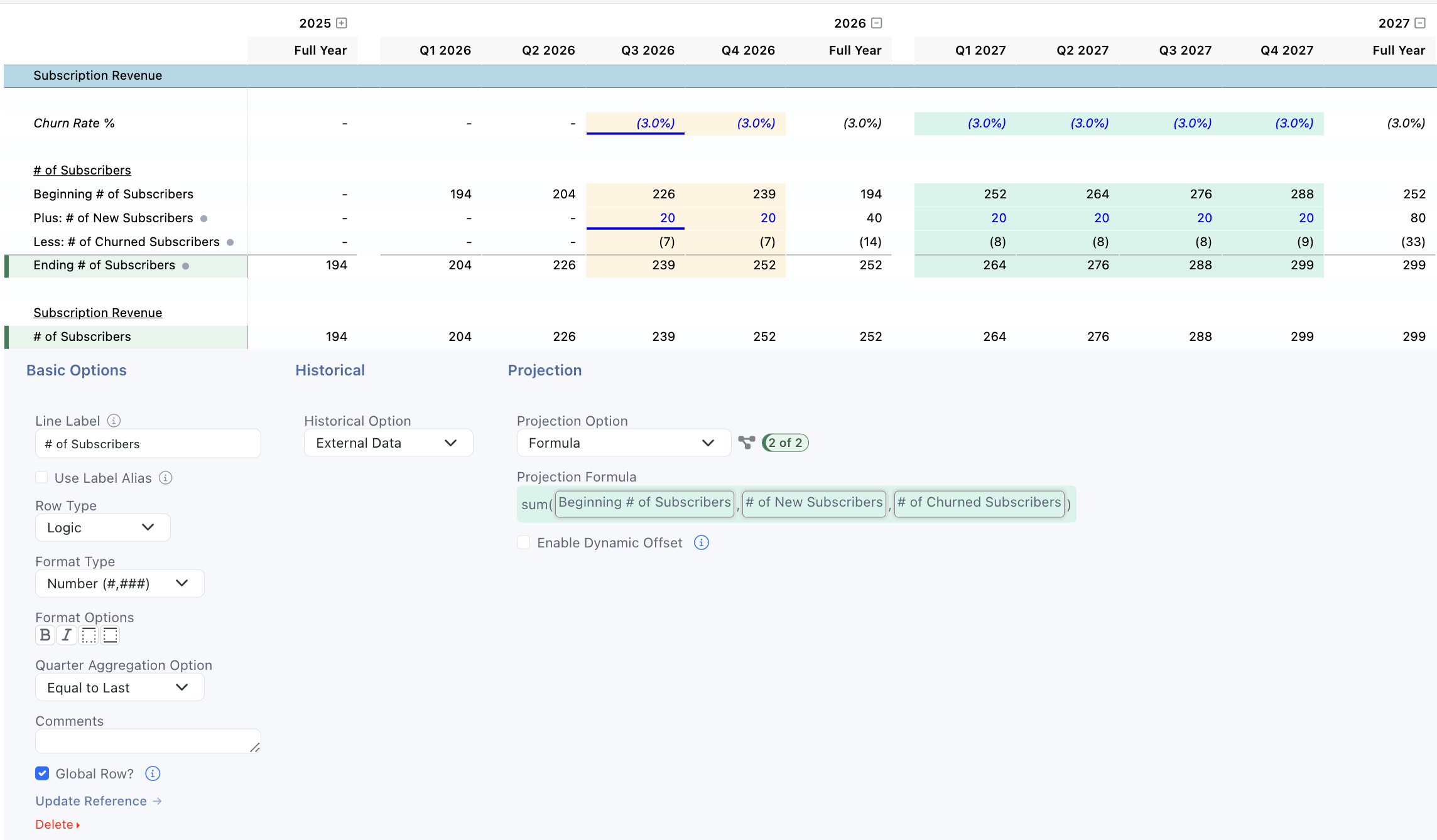
The key idea is that the "Ending # of Subscribers" and "# of Subscribers" rows here are not separate logical objects where one references the other; they are two instantiations of the same object.
The reason they have different displayed labels is because the first one uses a Label Alias:
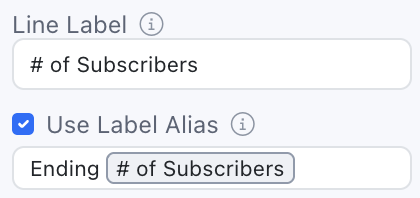
This lets you use alternate labels in different placements, but everything else about them remains identical.
To see all View placements of a particular Logic Row, click on the "See Dependencies" icon to the right of the Projection Option to open the Dependencies screen:
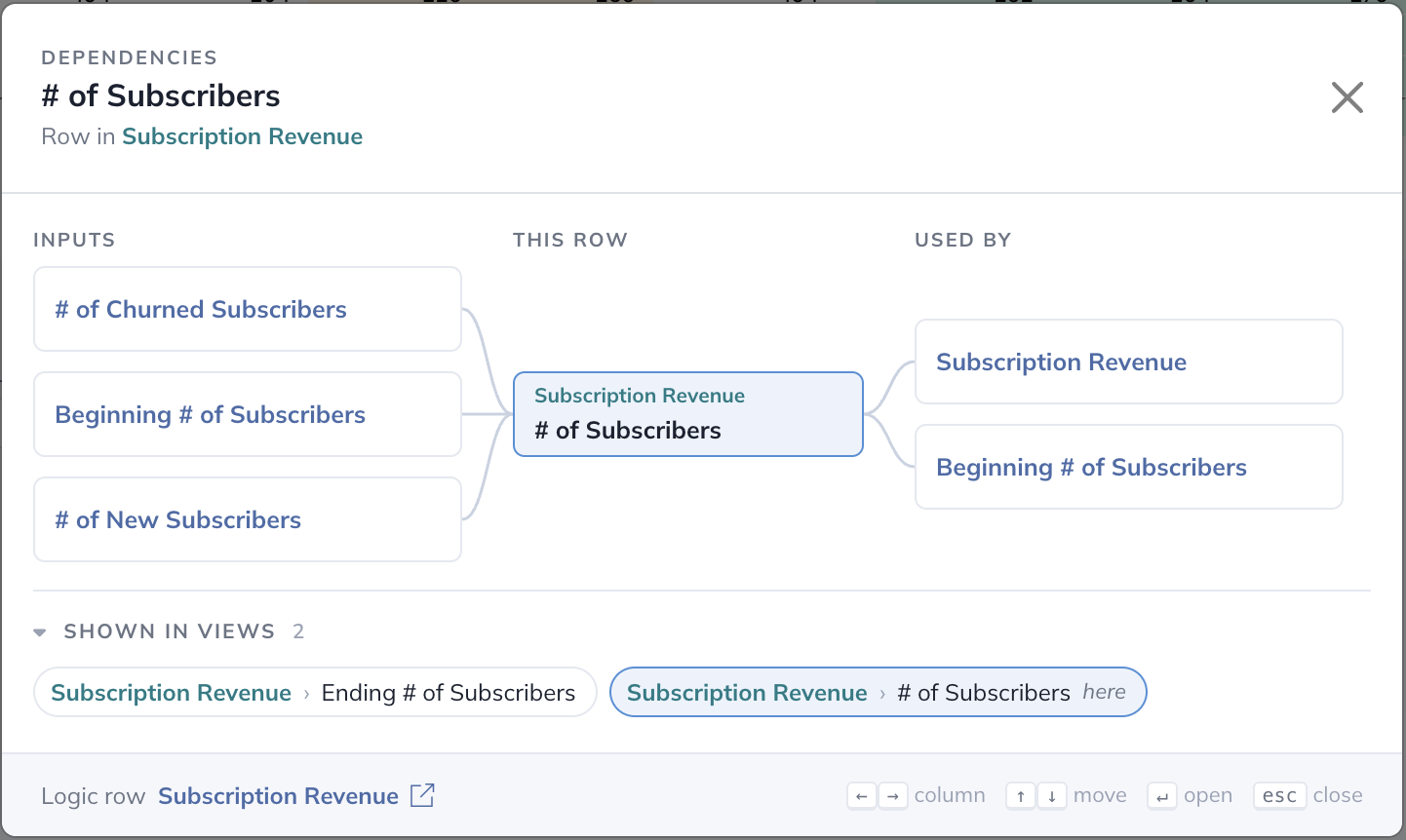
The top section shows you which model components are upstream and downstream of the current row, and the "Shown in Views" section shows you all View placements of the row.
To read more about this concept, see the Logic Rows & Views section of the user guide.
Historical Data Updates When You Save
Previously, after updating your historical financial statement values, historical metrics values, or any of their mappings, you would need to hit the "Save & Generate Data" button for the values to be pushed into your model and reporting materials. We've streamlined this process so that's no longer required, and that step now happens automatically behind the scenes.
Row-Level Dynamic Offsets
Until now, when a formula referenced another row with a period offset, the size of the offset was built into the reference. Changing it meant recreating the reference.
The offset can now be an input on the row instead. Select Enable Dynamic Offset on the row, enter the offset in Dynamic Offset Input, and select Use Dynamic Offset when creating the reference. To change the offset later, all that's required is to change the input:
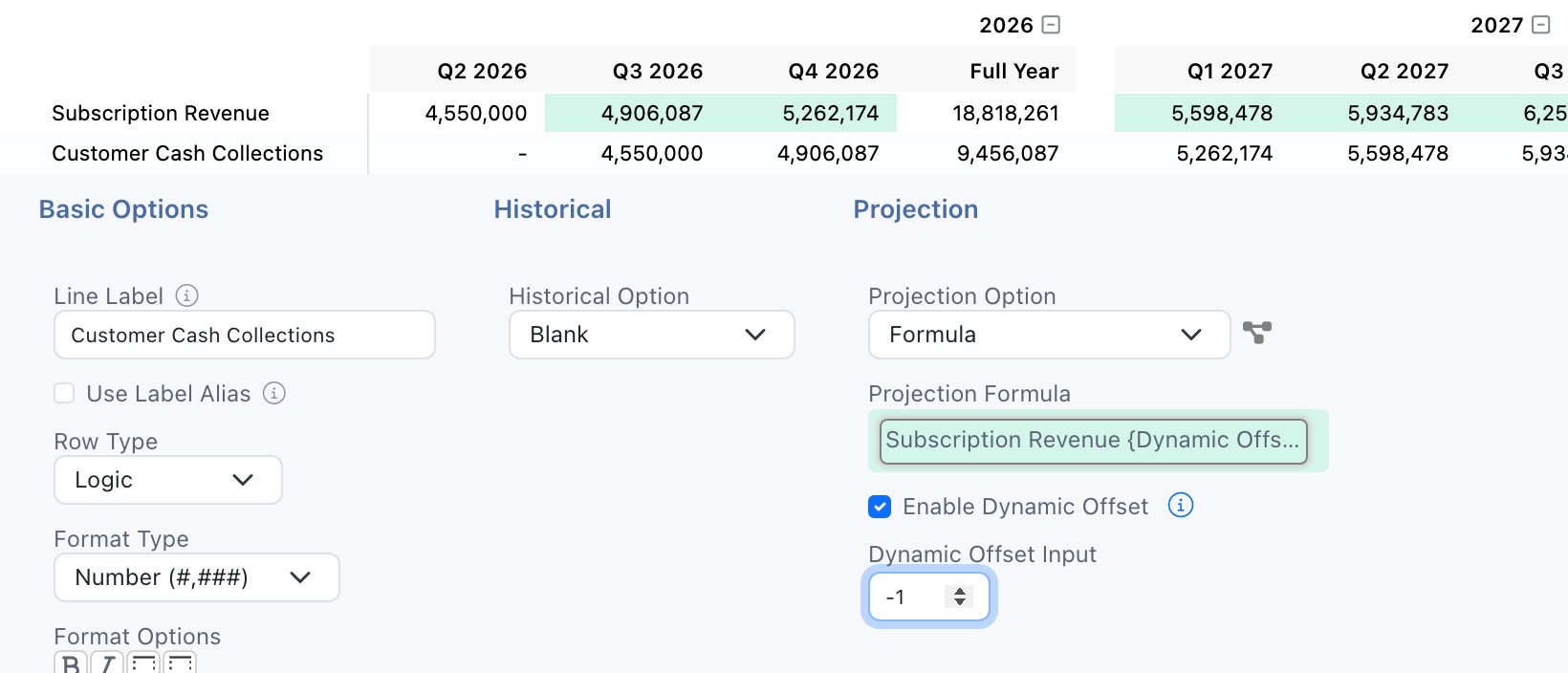
This is useful when working with timing assumptions you expect to revisit. For example, you might start with an assumption that it takes 1 month on average to collect cash from customers, but want to be able to easily change that to 2 or 3 months. That can now be done without needing to recreate the reference.
To read more about this concept, see the Row-Level Dynamic Offsets section of the user guide.
The Modeloptic FP&A AI Agent Is Now Live
Thank you to everyone who helped us test out our new AI agent capabilities over the past several months. The FP&A AI agent is now out of the testing phase and is available for live usage for customers that choose to opt in. If you'd like to use it, email us at contact@modeloptic.com and we'll work with you to get it enabled for your account.
We've Launched a New Product
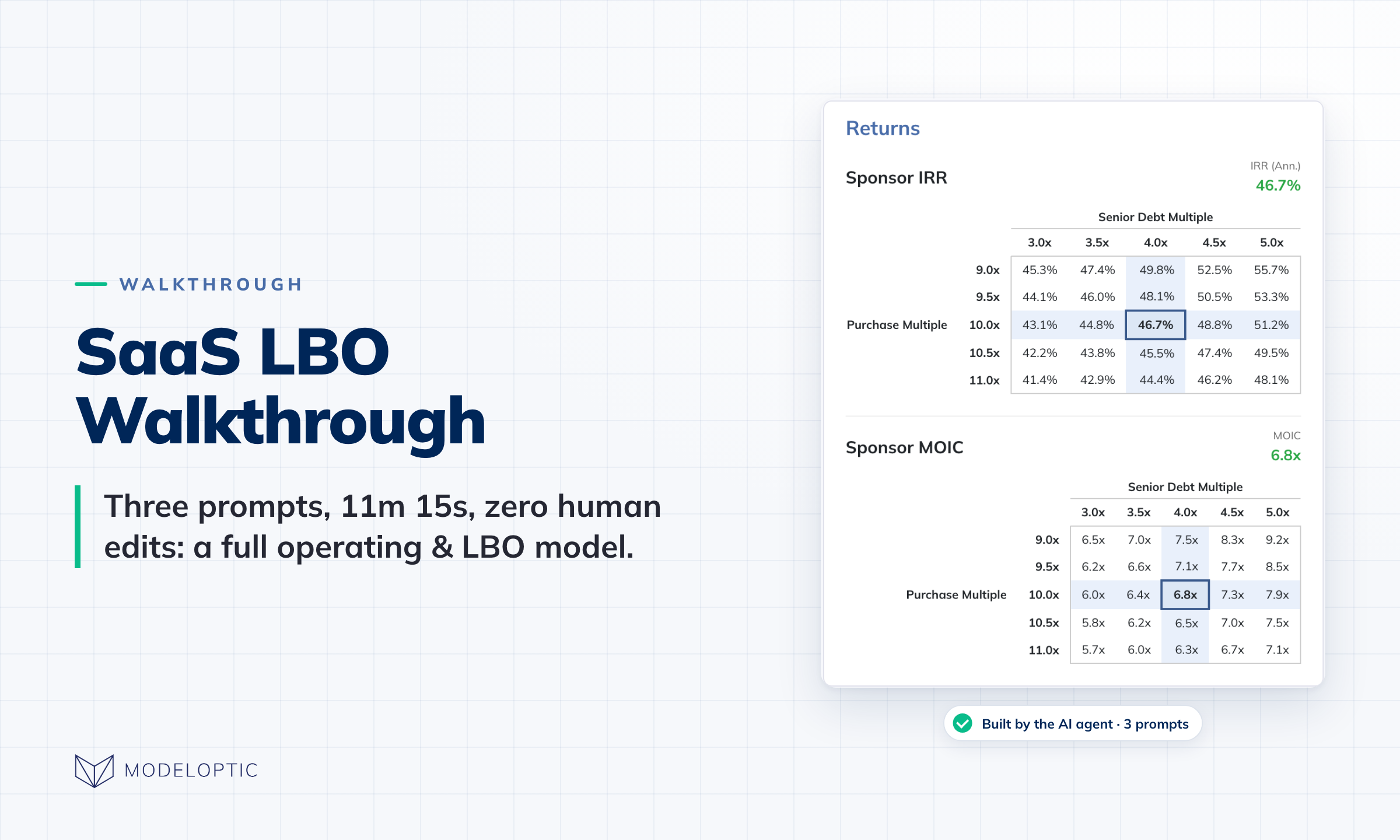
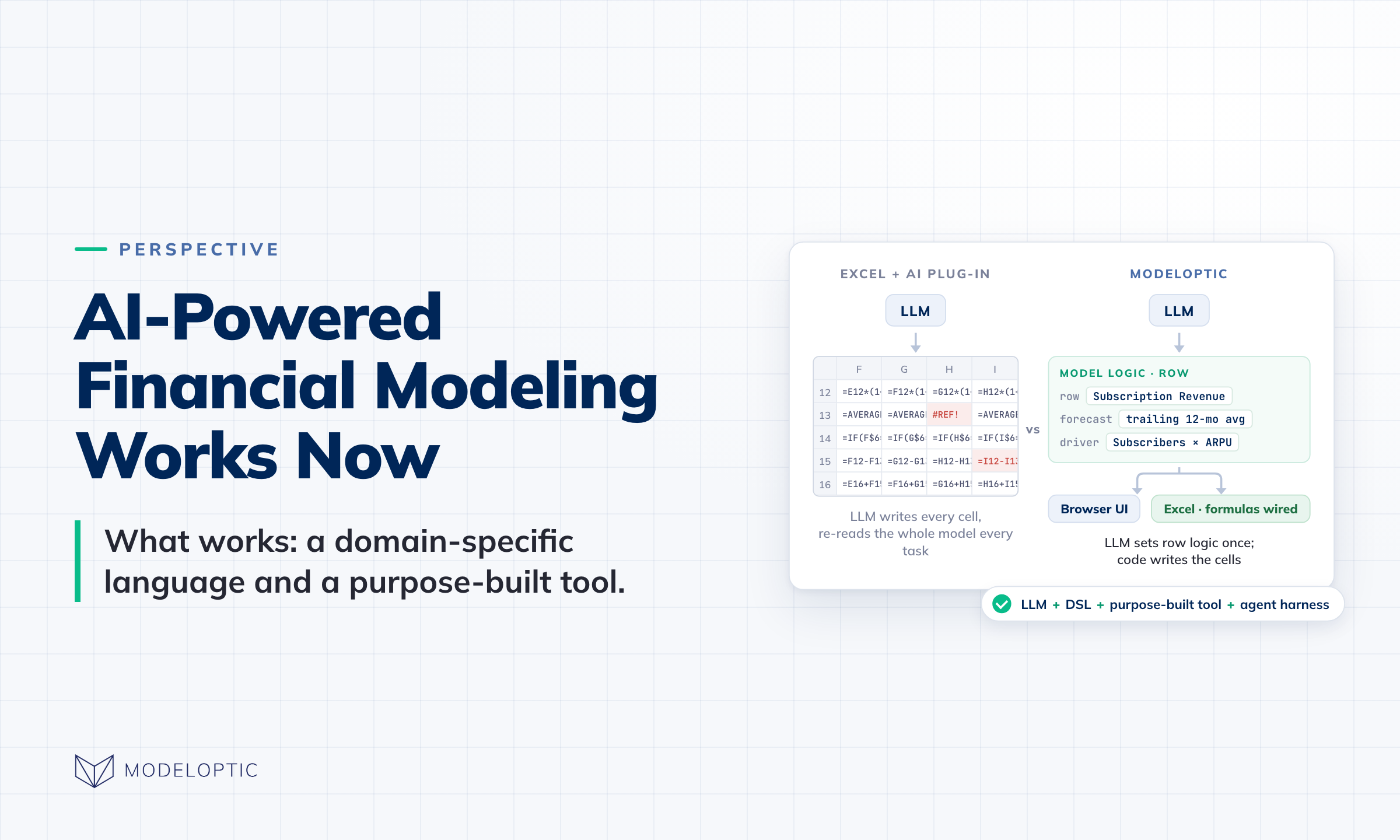
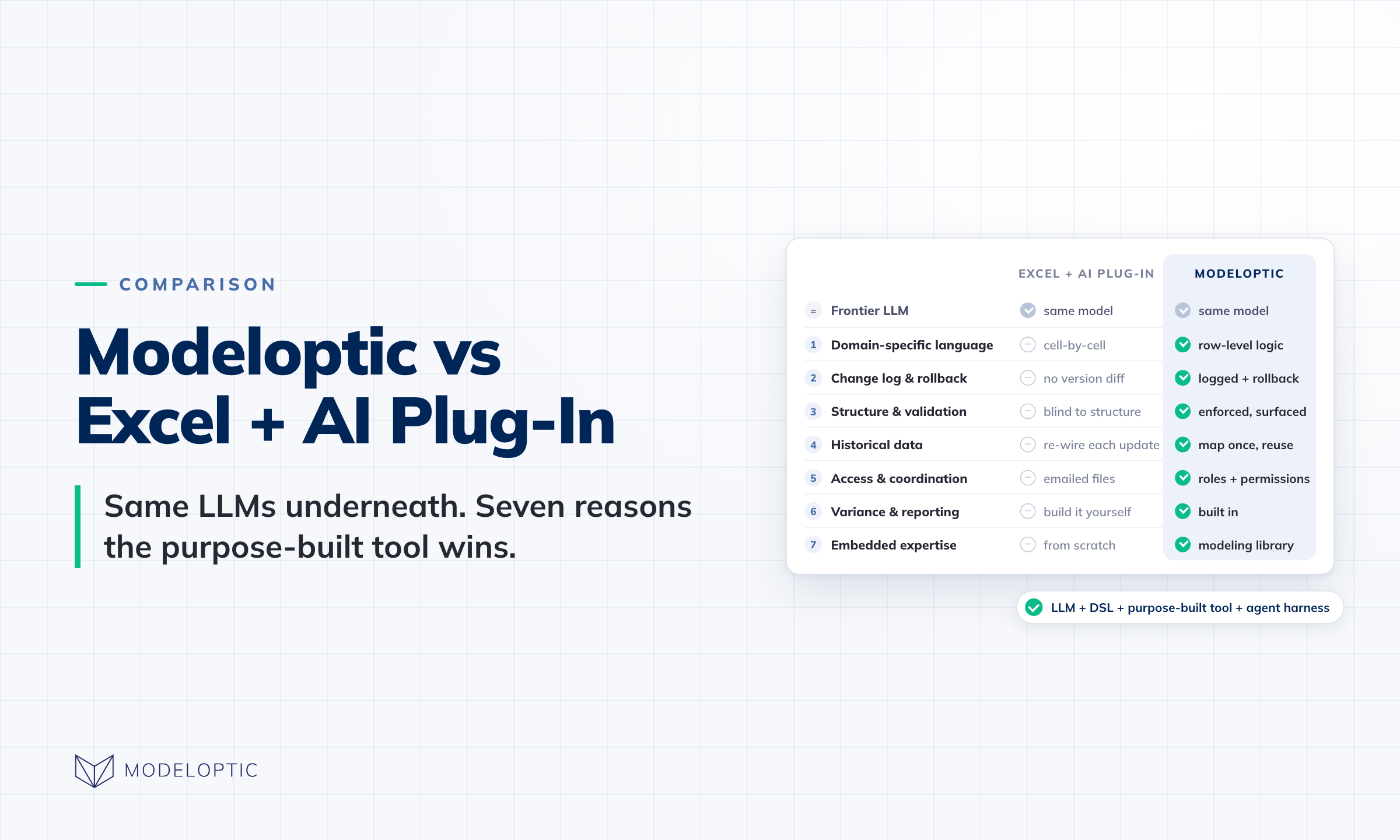
We've also launched our AI-powered financial modeling product for private equity, investment banking, and other high-stakes finance work, intended for professionals who build financial models frequently. Models that used to take a skilled PE associate 10+ hours to build can now be built in under 15 minutes.
See our walkthrough of an example SaaS LBO model build to see it in action.
If you know anyone who might be interested, we'd love to speak with them. Please email us at contact@modeloptic.com to introduce us, or send them to modeloptic.com.
Note that this doesn't change anything for our FP&A product. We'll keep building and supporting it, and the updates above are part of that.
On the Roadmap
Keep an eye out for additional functionality coming soon, and please feel free to contact us to let us know any thoughts you'd like to share on the future direction of the product!